


A bill pay workflow is the repeatable path every vendor bill follows, from the moment it arrives to the moment it is paid, coded and filed. A good one has five parts: one place where bills arrive, a check that the bill is correct, an approval, a payment scheduled around your cash, and a record you can find later. This guide shows you how to set up each part, who should own it, and which pieces to automate.
TL;DR
- Route every bill through one intake point, then verify, approve, schedule, pay and record it in that order.
- Keep the person who enters a bill separate from the person who approves it and the person who releases the payment, wherever your team size allows.
- Pause any bill that does not match your records, and verify changed vendor bank details independently before paying.
- Schedule payments by due date, discount window and expected cash, not by when you happen to open the inbox.
- Automate capture, coding, routing and reminders. Keep human eyes on exceptions and approval decisions.
Table of Contents
- What a bill pay workflow covers
- The steps from receipt to reconciliation
- Who does what: roles and approvals
- Controls that prevent duplicate, wrong and fraudulent payments
- Scheduling payments around your cash flow
- What to automate and what to keep manual
- Documenting your procedure and keeping records
- Our perspective
- Let us run it with you
- FAQ
- Sources
What a bill pay workflow covers
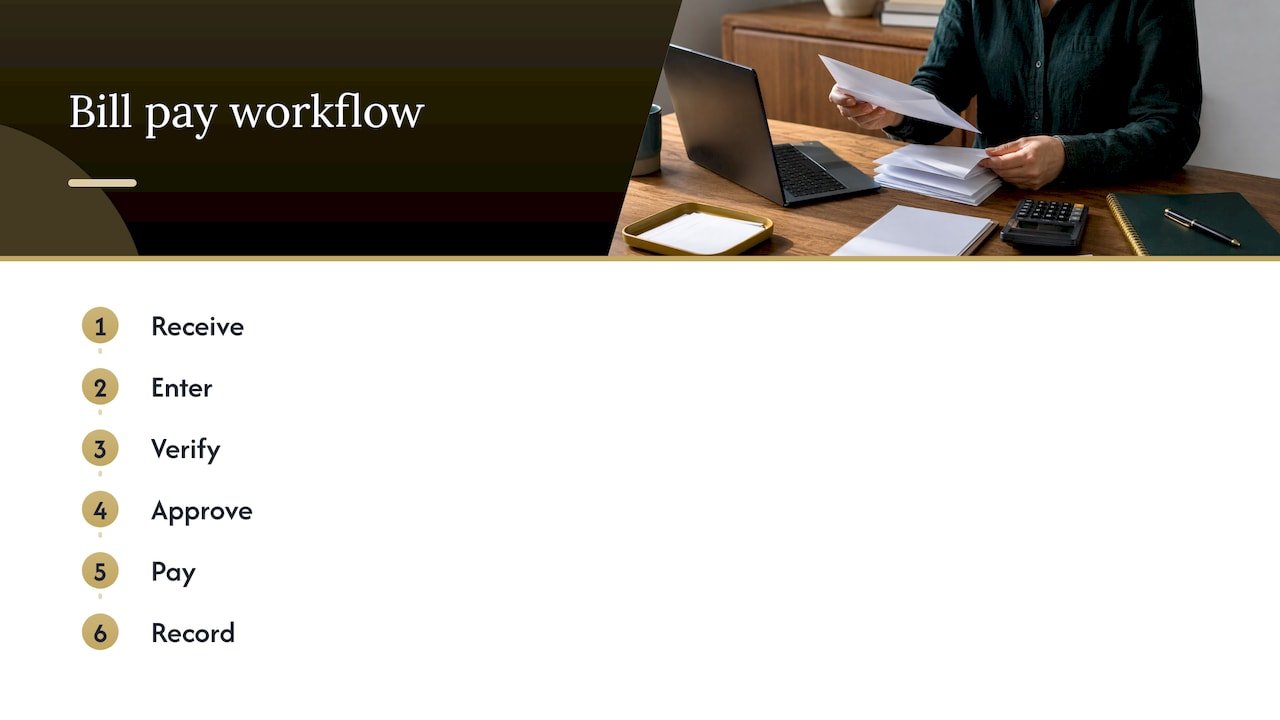
Think of the workflow as a chain with six links: receive, enter, verify, approve, pay, record. Software that handles bills typically logs every step from the original invoice to payment confirmation in one place, which is the real goal of any workflow, manual or automated. You should be able to open a single bill and see where it came from, who touched it, who approved it and when it was paid.
Most small businesses already have a workflow. It just lives in someone’s head, an email inbox and a stack of paper. The problems show up as late fees, duplicate payments, vendors asking where their money is, and a bookkeeper who cannot close the month because bills surface after the fact. Writing the process down fixes most of that before any software is involved.
If you want the wider view, our guides on accounts payable automation and the invoice process workflow cover the same ground from other angles.
The steps from receipt to reconciliation
The American Productivity & Quality Center (APQC) describes the sequence as receiving and capturing the bill, entering it into accounts payable, validating and matching it, resolving exceptions, obtaining approval, scheduling and processing payment, then retaining records and making accounting adjustments. Here is how that looks for a small business.
- Receive and capture. Pick one address or folder where every bill goes. Ask vendors to send invoices there and forward anything that lands in a personal inbox. Log the receipt date, since it starts the clock on your payment terms.
- Enter the bill. Record the vendor, invoice number, amount, terms and due date in your accounting system. Xero’s U.S. guidance suggests logging each invoice when it arrives, recording the receipt date and linking it to the right purchase order.
- Verify and match. Check the purchase order number, billing address, itemized charges, terms and due date against what you ordered and received.
- Resolve exceptions. If something is off, stop. Do not approve a bill you have questions about.
- Approve. The right person confirms the bill is legitimate and correctly coded.
- Schedule and pay. Choose the payment method and send date based on due date and cash.
- Record and reconcile. Match the payment to your bank or card statement and file the supporting documents.
One concrete example of the payment stage: a business bank’s bill pay tool lets you upload a PDF bill, have the details read automatically, choose the recipient, pick ACH, check or wire, set the amount, send date and funding source, add optional general ledger coding, then send or schedule it, with approval routing when required. Whatever tool you use, the sequence is the same.
Coding is part of the workflow, not an afterthought
Coding means assigning each bill to the right account in your chart of accounts. Done after verification and approval, it lets the bill be tracked and scheduled correctly. Consistent coding is what makes your profit and loss statement trustworthy, and it saves your tax preparer hours at year end. Xero’s guidance recommends consistent general ledger coding across every bill, so pick the account for each recurring vendor once and reuse it.
Who does what: roles and approvals
In a business of three people, one person often does everything. That is where mistakes and fraud slip through. The principle is to separate preparing the bill, reviewing the expense, releasing the payment and reconciling the account where practical. Business.com recommends having someone other than the preparer review the request, and the same source notes that QuickBooks’ U.S. permission model splits the bill clerk, bill approver and bill payer roles, so entering a bill does not automatically mean approving or paying it.
A simple setup for a small team:
| Role | Responsibility | Who it might be |
|---|---|---|
| Bill clerk | Captures, enters and codes bills | Office manager or bookkeeper |
| Approver | Confirms the expense is valid and correctly coded | Budget owner or department lead |
| Payment releaser | Sends the payment | Owner or finance lead |
| Reconciler | Matches payments to bank statements | Bookkeeper or outside accountant |
If you are a solo owner, you cannot split these four roles across people, but you can split them across time and tools. Let your bookkeeper enter and reconcile, and keep payment release for yourself.
Approval rules that scale
BILL recommends approval rules based on thresholds, departments or vendor type, with escalation for larger bills and a separation between vendor setup and payment approval. In practice, that might mean:
- Recurring bills under a set amount from established vendors go to one approver.
- Anything above your threshold also goes to the owner.
- New vendors need a second person to confirm the vendor is real before the first payment.
Two habits help a lot. First, set an approval deadline. Xero’s U.S. guide gives 48 hours as an example. Second, name a backup approver for vacations and sick days, so bills do not sit while due dates pass.
Controls that prevent duplicate, wrong and fraudulent payments
Most bill pay losses come from a few predictable errors. Xero’s U.S. guide lists incorrect prices, quantity mismatches, duplicate invoices and missing purchase order references as common intake errors. The controls below target each one.
- Match before you approve. Compare the bill to the purchase order and, for physical goods, the receiving record. Three-way matching suits inventory and physical goods best. For services, a signed quote or contract plays the role of the purchase order.
- Treat exceptions as their own step. APQC’s view is that discrepancies should be researched before approval and scheduling, with the supplier, procurement or the business unit involved. Pause the bill, write down what is in dispute and who you contacted.
- Separate approval from payment. OnPhase advises that payment authorization be a different step from invoice approval.
- Verify bank detail changes independently. The same source says changed vendor banking details should be confirmed before payment. Call the vendor on a number you already had on file, not one printed on the new request. Email requests to change account numbers are a classic way fraudsters redirect payments.
- Keep a duplicate check. Search the vendor and invoice number before entering a bill. Accounting software often flags repeats, but only if invoice numbers are entered consistently.
- File supporting documents together. The bill, the purchase order, the approval note and the payment confirmation belong in one place.
Scheduling payments around your cash flow
Approving a bill does not mean paying it today. Payment timing affects supplier relationships, working capital, compliance and your ability to capture early-payment discounts. A good workflow schedules approved bills by due date and discount window, while protecting the cash you need for payroll and taxes. Sage recommends scheduling approved invoices according to payment terms and cash flow priorities, including watching early-payment discount windows.
A practical weekly rhythm:
- Pick one or two payment days per week, for example Tuesday and Friday.
- On payment day, review all approved bills due before your next payment day.
- Compare the total to your bank balance and expected deposits.
- Pay what is due and what earns a discount. Defer the rest to the latest date that still arrives on time.
Build in transit time. Xero’s U.S. guide notes that ACH commonly takes one to three business days to clear, so a payment sent on the due date is a late payment. Checks take longer.
The discount math is worth knowing. Terms such as “2/10 net 30” mean a 2% discount if you pay within 10 days, otherwise the full amount is due in 30. Paying 20 days early to save 2% is a strong return, but only if your cash can afford it. That is why a cash flow projection matters. Our guides on cash flow forecasting and the 13 week cash flow show how to build one. For a view of how a cash-focused process fits together end to end, this cash flow management workflow guide walks through the stages for one industry, and the structure carries over to others.
What to automate and what to keep manual
Automation works best on repetitive steps. According to a financial operations guide from the Association for Financial Professionals, software can handle invoice capture and OCR, coding, matching, approval routing and reminders, payment scheduling and execution, reconciliation, reporting, archiving and audit trails. When an exception occurs, a handling process starts and the relevant people are notified.
Sage notes that automation can extract the invoice number, vendor and total, check them against purchase orders and delivery receipts, and flag mismatches for human review. JPMorgan adds that it can enforce approval hierarchies, keep audit trails of approvals and changes, and pass approved invoices into payment systems with coding and supporting documents attached.
| Step | Automate | Keep human |
|---|---|---|
| Intake | Email and scan capture, data extraction | Spot-check unfamiliar vendors |
| Coding | Default accounts for recurring vendors | New or unusual expenses |
| Matching | Two- and three-way comparison | Resolving mismatches |
| Approval | Routing, reminders, escalation | The approval decision itself |
| Payment | Scheduling, execution | Release of large or first-time payments |
| Records | Archiving, audit trail | Periodic review of the trail |
The aim is to have staff review exceptions rather than retype every invoice field. If much of your pain is bills arriving by email and scan, tools that read invoices from email and PDFs and send verified data into your accounting system can take over the data entry while you keep approvals in your hands. Our paperless accounting setup guide covers the groundwork.
A caution on sequence: fix the process first, then automate it. Automating a messy workflow only makes the mess faster.
Documenting your procedure and keeping records
A workflow nobody can find is a workflow nobody follows. Write a one-page procedure that answers: where do bills go, who enters them, who approves what amount, which days do we pay, and where do records live. Jodoo recommends that every stage have a minimum record, an explicit control and a named owner, and that mismatches, missing data and returned decisions stay visible until resolved. A short table on your procedure page does the job.
After payment, the books need to reflect it. Sage says the accounting software should record the transaction and the invoice system should archive the invoice and payment details for audit, compliance or regulatory retrieval. APQC also lists retaining records and processing accruals, reversals, taxes or other adjustments as part of the cycle.
Two practical habits come out of this:
- Reconcile monthly at minimum. Every paid bill should match a line on your bank or card statement. Unmatched items are either errors or fraud, and both are cheaper to catch early.
- Plan for year end. Bills that arrive in January for December services need accruing correctly. See our guide to closing the books for taxes after January bills arrive, and our bookkeeping best practices for the monthly routine.
Our perspective
Small business owners rarely tell us they have a bill pay problem. They tell us they feel behind. Bills sit in three places, someone is not sure what was approved, and the month-end close turns into a hunt.
We build the workflow first and choose the tools second. A clear intake point, a short approval rule and a weekly payment day remove most of the stress before any software is bought. Then we connect the workflow to your books so bills are coded the same way every time and your reports can be trusted.
That is the idea behind a virtual accounting department: a team that handles the routine steps with precision, flags the exceptions to you, and ties payment timing to your cash flow so you decide with real numbers. Our approach is customized to your business, because a two-person consultancy and a contractor with a crew do not need the same process.
Kelli
Let us run it with you
If you would rather not build this yourself, our team can set up and manage your bill pay workflow as part of our full-service accounting and bookkeeping, including QuickBooks setup, customized reporting and cash flow support, virtually or in person.

If your bills also touch payroll, vendors and compliance, our business management services cover workflows and operational support. You can see how we work and request a free consultation from there.
FAQ
What is the simplest bill pay workflow for a small business?
Use one intake inbox, one person who enters and codes bills, one approver, and a fixed weekly payment day. Every bill is entered when received, approved before payment and reconciled afterward. This works for a small team and sets you up to add software later without changing the process.
How do I stop duplicate bill payments?
Search the vendor and invoice number before entering any bill, and enter invoice numbers consistently. Use accounting software that flags repeats, and require that only approved bills appear in the payment run. Reconciling to your bank statement each month catches anything that slips through.
Who should approve bills in a very small company?
Ideally someone other than the person who entered the bill. If you are the only employee, split the roles across time and people: let a bookkeeper enter and reconcile while you approve and release payment. Add a second set of eyes for new vendors and large amounts.
Should I pay bills on the due date or early?
Pay by the due date, allowing for transit time, unless an early-payment discount is worth more than keeping the cash. ACH can take one to three business days, so schedule ahead. Check your cash forecast before taking any discount.
Sources
- APQC: key steps in the invoice processing cycle
- Stripe: bill paying software overview
- Mercury: Bill Pay overview
- Xero: accounts payable process guide
- HighRadius: invoice payment methods
- Business.com: payment approval workflows
- BILL: how to automate accounts payable
- OnPhase: from receipt to payment
- Sage Advice US: what is invoice processing
- JPMorgan: invoice automation and processing guide
- AFP: automating accounts payable processing
- Jodoo: accounts payable workflow automation guide
- Invoice automation guide
- Cash flow management workflow guide