

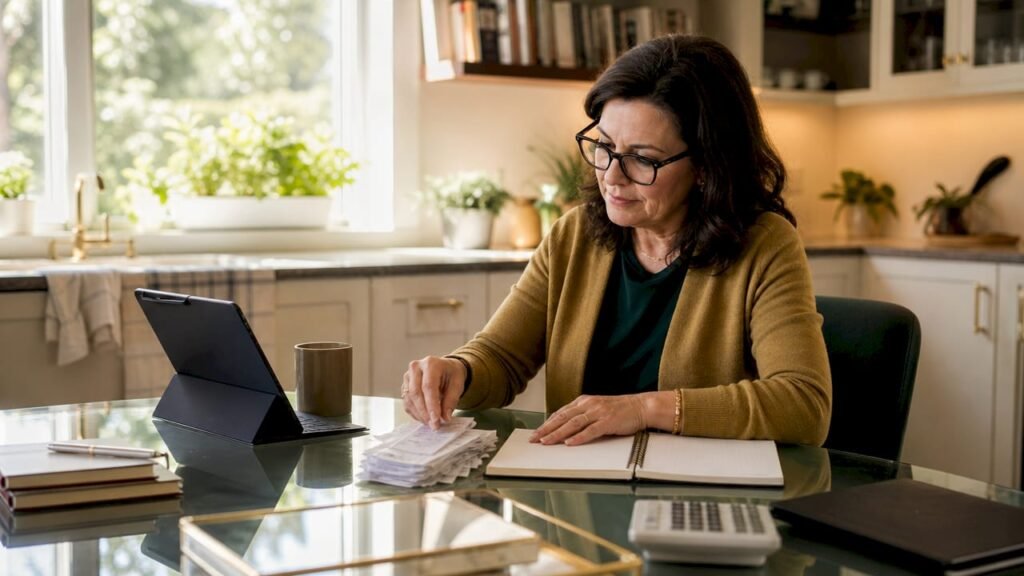
Cost-saving accounting strategies for small business are defined as the financial practices that reduce overhead, prevent costly errors, and improve profitability by refining how you record, categorize, and close your books. Most small business owners overpay for accounting not because their business is complex, but because their processes are inefficient. The right combination of method selection, automation, and continuous reconciliation can cut your accounting workload significantly, free up cash, and give you cleaner data for every business decision. Tools like QuickBooks and Xero, paired with disciplined workflows, make these gains achievable without a large finance team.
1. Choose the right accounting method first
Your accounting method choice directly affects your tax exposure, compliance workload, and the time your bookkeeper spends each month. This is the foundation of every other cost-reduction effort.
The IRS allows most small businesses to choose between cash and accrual accounting. Businesses with average annual gross receipts below approximately $32 million in 2026 can generally use either method. That threshold gives most small businesses real flexibility.

Cash basis accounting records income when you receive payment and expenses when you pay them. It requires less administrative work, produces simpler records, and reduces the time your bookkeeper spends on accounts receivable and payable tracking. Accrual accounting records revenue when earned and expenses when incurred, which gives lenders and investors a clearer picture of financial health.
The right method depends on your contract duration, payment timing, and financing plans. A freelance consultant with short project cycles benefits from cash basis. A product company with long payment terms and inventory needs accrual.
A practical middle ground exists. Some small businesses use a hybrid approach with cash basis for tax reporting and accrual basis for internal management. This balances tax simplicity with financial clarity without requiring a full system overhaul.
Pro Tip: Plan any accounting method change before year-end. Switching mid-year requires IRS Form 3115 and can trigger penalties and administrative burdens that cost far more than the switch saves.
2. Automate repetitive bookkeeping tasks
Automation is the single highest-return investment available to a small business accounting function. It cuts manual hours, reduces data entry errors, and accelerates your close cycle without adding headcount.
Start with the tasks that happen most often and require the least judgment. Automating receipt capture and categorization reduces manual effort and error risk in expense tracking. QuickBooks and Xero both offer bank feed rules that categorize transactions automatically based on vendor name or amount.
The next layer is invoice automation. Set up software to send invoices automatically on project completion and trigger payment reminders at 7, 14, and 30 days past due. This alone reduces the time your team spends chasing receivables and improves cash flow without any additional cost.
Recurring journal entries are another high-value target. Automating entries like depreciation, prepaid amortization, and accrual reversals can save 1–2 business days each close cycle. Over a full year, that adds up to two to three weeks of recovered time.
- Automate bank and card reconciliation using feed rules in QuickBooks or Xero
- Set invoice reminders to trigger automatically at fixed intervals past due date
- Schedule recurring journal entries for depreciation and prepaid amortization
- Use receipt scanning apps to capture and categorize expenses at the point of purchase
Pro Tip: Automate high-volume, low-judgment tasks first. Bank reconciliation and invoice reminders deliver the fastest return. Save judgment-heavy tasks like revenue recognition for human review.
3. Implement continuous reconciliation
Most small businesses reconcile their bank accounts once a month, right before close. That single habit creates more accounting cost than almost anything else.
Reconciling accounts weekly instead of monthly prevents transaction backlog and expensive errors. When you reconcile daily or weekly, every discrepancy surfaces immediately while the transaction is still fresh. Monthly reconciliation means you are investigating charges from four weeks ago with incomplete context.
Continuous reconciliation workflows reduce close-week workload by 30–50%. That reduction translates directly into lower bookkeeping costs, whether you pay a bookkeeper by the hour or manage it yourself. It also means fewer surprises at tax time.
Rolling accounts receivable and payable reviews work the same way. Reviewing open invoices and outstanding bills weekly keeps your aging reports accurate and prevents the end-of-month scramble to figure out who owes what.
Front-loading categorization and continuous reconciliation reduce backlog, enabling a faster and less error-prone close. Think of it as spreading the work evenly across the month rather than compressing it into a stressful five-day sprint.
4. Compress your month-end close cycle
A slow month-end close costs money in two ways: it consumes bookkeeper hours, and it delays the financial data you need to make decisions. Compressing the close cycle is one of the most direct profit improvement strategies available to small businesses.
A disciplined month-end close checklist can reduce closing time from 8–10 days to about 3 business days when bank and card reconciliations are current and backlog is avoided. That compression frees up significant bookkeeper capacity each month.
The key is sequencing. Start with bank and card reconciliation, then move to accounts receivable and payable aging, then recurring journal entries, then financial statement review. Each step depends on the one before it. Skipping the sequence creates rework.
| Close step | Timing | Time saved with automation |
|---|---|---|
| Bank reconciliation | Daily or weekly | 2–4 hours per close |
| Recurring journal entries | Automated on schedule | 1–2 days per cycle |
| AR/AP aging review | Weekly rolling | 1–2 hours per close |
| Financial statement review | Final step, day 3 | Faster with clean data |
Messy books and uncategorized transactions are the biggest time drivers in any close cycle. Fixing categorization issues mid-close is expensive. Preventing them through weekly maintenance is not.
5. Audit your subscriptions twice a year
Software subscriptions are the most common source of invisible waste in small business accounting. Most owners sign up for tools during a growth phase and never cancel when the need passes.
Set a twice-yearly subscription audit, once in january and once in july. Pull every recurring charge from your bank and credit card statements. For each one, ask whether it is actively used, whether a cheaper alternative exists, and whether it duplicates another tool you already pay for.
Trimming unnecessary recurring subscriptions and automating repetitive tasks reduces overhead and increases profitability. Xero’s guidance on cost control specifically calls out subscription audits as a high-impact, low-effort action for small businesses.
- List every recurring charge by vendor, amount, and billing frequency
- Flag any tool not used in the past 30 days for cancellation or downgrade
- Consolidate overlapping tools (for example, separate invoicing and expense apps that your accounting software already covers)
- Negotiate annual billing for tools you will keep, which typically saves 15–20% versus monthly billing
Pro Tip: Customize your chart of accounts to match your actual spending patterns. Overly complex subcategories slow down categorization and create confusion at tax time. Aim for enough detail to be useful, not so much that every transaction requires a judgment call.
6. Comparing key strategies: which one fits your business?
Not every strategy delivers equal value at every stage of business growth. The table below compares the four core approaches by business size, complexity, and expected impact.
| Strategy | Best for | Complexity | Cost impact |
|---|---|---|---|
| Cash basis accounting | Sole proprietors, service businesses | Low | Reduces admin and tax prep time |
| Automation (QuickBooks/Xero) | Any business with 50+ monthly transactions | Medium | Cuts manual hours and error rework |
| Continuous reconciliation | Any business with active bank accounts | Low | Reduces close workload by 30–50% |
| Subscription audit | Any business paying for software tools | Very low | Immediate cash savings, no setup required |
| Hybrid accounting method | Growing businesses needing financing | Medium | Balances tax savings with reporting clarity |
Budget-friendly bookkeeping for startups starts with cash basis accounting and weekly reconciliation. These two changes require no software investment and deliver immediate results. More mature small businesses benefit most from full automation in QuickBooks or Xero combined with a checklist-driven close process.
Small overhead reductions compound over time to materially improve net profit without increasing workload. A $200 monthly reduction in bookkeeping hours and a $150 monthly reduction in unused subscriptions adds up to $4,200 per year in recovered profit.
Key takeaways
The most effective cost-saving accounting strategies for small businesses combine method selection, automation, and continuous reconciliation to reduce overhead, prevent errors, and accelerate financial reporting.
| Point | Details |
|---|---|
| Choose the right accounting method | Cash basis reduces admin burden; accrual supports financing; hybrid balances both. |
| Automate high-volume tasks first | Bank reconciliation and invoice reminders deliver the fastest return on automation. |
| Reconcile continuously, not monthly | Weekly reconciliation cuts close-week workload by 30–50% and prevents costly errors. |
| Audit subscriptions twice yearly | Canceling unused tools and consolidating overlapping software produces immediate savings. |
| Compress your close cycle | A sequenced checklist reduces month-end close from 8–10 days to about 3 business days. |
What I’ve learned from years of working inside small business books
The owners who spend the most on accounting are almost never the ones with the most complex businesses. They are the ones with the messiest books. Uncategorized transactions, skipped reconciliations, and ignored subscriptions create a compounding problem. Every month of backlog makes the next month harder and more expensive to fix.
The sequence matters more than people realize. I have seen businesses invest in automation before they fixed their chart of accounts, and the automation just moved the mess faster. Get your categories right first. Then automate. Then compress the close. Skipping steps costs more than doing them in order.
Reducing rework caused by messy books is the biggest early win in any accounting cost-reduction effort. Before you buy a new tool or hire a bookkeeper, spend two hours cleaning up your transaction categories. That single action will save more time than almost anything else you can do.
Continuous reconciliation is the habit most owners resist and most bookkeepers wish their clients would adopt. It feels like extra work until you experience a month-end close that takes three days instead of ten. Once you feel that difference, you will never go back to monthly-only reconciliation.
The goal is not perfect accounting. The goal is accounting that costs you as little as possible while giving you the information you need to run your business confidently.
— Kelli
How Kelliworks helps you put these strategies to work
Small business owners who want to reduce accounting costs without sacrificing accuracy need more than software. They need a partner who understands their specific workflows and applies the right processes from day one.
Kelliworks offers full-service accounting built specifically for small businesses, covering bookkeeping, tax preparation, and financial consulting. We implement automation, continuous reconciliation, and close-cycle compression as standard practice, not add-ons. If you are ready to see what a cleaner, faster, and more affordable accounting process looks like for your business, schedule a consultation with our team. We will review your current setup and identify exactly where you are leaving money on the table.
FAQ
What is the IRS gross receipts threshold for choosing an accounting method in 2026?
The IRS threshold for 2026 is approximately $32 million in average annual gross receipts. Businesses below that level can generally choose either cash or accrual accounting.
How much can continuous reconciliation reduce my month-end close workload?
Continuous reconciliation reduces close-week workload by 30–50%. Businesses that reconcile weekly instead of monthly typically close their books in 3 days instead of 8–10.
Which accounting software is best for small business automation?
QuickBooks and Xero are the two leading platforms for small business automation. Both support bank feed rules, recurring journal entries, and automated invoice reminders.
How often should I audit my software subscriptions?
Audit your subscriptions twice a year, in january and in july. Pull every recurring charge and cancel or downgrade any tool not actively used in the past 30 days.
When does a small business need to use accrual accounting?
A small business needs accrual accounting when it carries inventory, has long payment terms, or is seeking financing. Lenders and investors expect accrual-based financial statements because they show a more complete picture of financial health.


5 Responses