


If your business meets a state’s nexus rules, you must register with that state’s Department of Revenue, collect sales tax on taxable sales, and remit on the schedule the state assigns. The single most important action you can take today: confirm whether you have nexus in any state, then open that state’s registration portal.
Your immediate three-step checklist:
- Confirm nexus — check whether you have a physical presence or have crossed an economic nexus threshold in any state where you sell.
- Gather your documents — you’ll need your EIN, legal business name, DBA (if applicable), business address, NAICS code, start date, and responsible party information.
- Open your state’s Department of Revenue portal — New York businesses register at New York Tax’s vendor registration page, Texas sellers use the Texas Online Tax Registration Application, and Connecticut businesses register through CT’s Sales and Use Tax portal. Every other state has an equivalent portal; search “[your state] Department of Revenue sales tax registration” to find it.
Table of Contents
- Does your new business actually need to collect sales tax?
- How to register for a sales tax permit, step by step
- How to collect the right amount of sales tax from customers
- How to file your returns and remit what you’ve collected
- What records to keep and for how long
- Common mistakes new owners make and how to fix them
- Key Takeaways
- Why sales tax deserves your attention from day one
- Kelliworks takes sales tax compliance off your plate
- Useful resources for sales tax registration and compliance
Does your new business actually need to collect sales tax?
Not every new business owes sales tax in every state, but the rules are more far-reaching than most owners expect. Two concepts determine your obligation: nexus and taxability.

Physical nexus is created when your business has a tangible presence in a state. That includes an office, a warehouse, inventory stored at a fulfillment center, employees, or even attending a trade show. Remote workers can create nexus in their home state, which catches many founders off guard.
Economic nexus is the bigger surprise for online sellers. After the Supreme Court’s 2018 South Dakota v. Wayfair decision, states can require out-of-state sellers to collect sales tax once they cross a sales or transaction threshold. Most states use economic nexus thresholds of $100,000 in sales or 200 transactions in a 12-month period, though Texas and California require higher sales thresholds and do not apply a transaction count test. The table below shows typical examples.
| State | Sales Threshold | Transaction Threshold |
|---|---|---|
| Most states | $100,000 | 200 transactions |
| Texas | $500,000 | No transaction test |
| California | $500,000 | No transaction test |
| New York | $500,000 | 100 transactions |
Count gross sales toward these thresholds, not just taxable sales. That distinction matters for SaaS and subscription businesses especially: subscription revenue typically counts toward economic nexus thresholds even when the product itself is exempt in that state.
Taxability is the second filter. Tangible personal property is taxable in most states. Services are often exempt, but that varies widely. SaaS and digital goods sit in a gray zone: some states tax them fully, others partially, and a few not at all. Check your state’s DOR guidance for your specific product or service category before you assume you’re off the hook.
Pro Tip: Don’t register prematurely. Many states require returns on a fixed schedule, so registering before you cross the threshold can lock you into filing zero returns every month unnecessarily.
How to register for a sales tax permit, step by step
Registration is a one-session task if you have your documents ready. Here’s exactly what to gather and how to complete the process.
What to have ready before you start:
- Federal Employer Identification Number (EIN) from the IRS
- Legal business name and DBA (doing business as), if different
- Physical business address and mailing address
- NAICS code for your primary business activity
- Business start date and the date you expect to make your first taxable sale
- Owner or responsible party’s full name, Social Security Number, and contact information
- Estimated monthly or annual sales volume
Step-by-step registration process:
- Locate your state’s DOR portal. New Jersey businesses use Business.NJ.gov, Virginia sellers register at Virginia Tax’s business registration page, and Georgia businesses use the Georgia Department of Revenue portal. Massachusetts businesses register through Mass.gov’s DOR portal.
- Create an account on the state’s online tax system. Most states use a combined business registration application that covers sales tax, income tax withholding, and other permits in one form.
- Complete the application. Enter your EIN, business details, NAICS code, and estimated sales. Some states, including Connecticut and North Carolina, have specific registration instructions and varying fee requirements — read the prompts carefully before submitting.
- Note your permit number. Once approved, you’ll receive a sales tax permit or Certificate of Authority. Record this number and keep a copy of the confirmation.
- Check your assigned filing frequency. The state assigns monthly, quarterly, or annual filing at registration based on your estimated sales volume. Note it immediately.
If you sell in multiple states, check whether those states participate in the Streamlined Sales Tax (SST) program. SST member states accept a combined application through the SSUTA Central Registration System, which saves time. Non-SST states like Colorado, Louisiana, and Alabama may also require city-level registration due to home-rule local jurisdictions.
One more note for buyers of existing businesses: purchasing a business does not transfer the previous owner’s sales tax permit. Register in your own name to avoid inheriting unpaid tax liabilities from the prior owner.
Pro Tip: Screenshot every page of your registration and save the confirmation email. If a state’s system has a technical issue, your screenshots prove you completed the process on time.
How to collect the right amount of sales tax from customers
Collecting correctly starts with knowing which rate to charge and how to document it on every sale.
Origin-based vs. destination-based sourcing
The rate you charge depends on your state’s sourcing rules. In origin-based states (like Texas for in-state sellers), you charge the rate at your business location. In destination-based states (the majority), you charge the rate at the buyer’s ship-to address. Most states that tax online sales use destination sourcing, which means you may need to look up the combined state-plus-local rate for each customer’s ZIP code.
Local rates add real complexity. A customer in Chicago pays Illinois state tax plus Cook County tax plus Chicago city tax. Tools like TaxJar or Avalara can automate rate lookups at checkout, but you still need to understand the underlying rule so you can verify the output.
Exemption and resale certificates
When a customer claims an exemption (a reseller, a nonprofit, or a government entity), they must give you a valid exemption or resale certificate before the sale. Capturing and retaining valid exemption documentation is a common audit item; states expect sellers to have certificates on file to substantiate every tax-exempt sale.
A valid certificate typically includes: the buyer’s name and address, their sales tax permit number, the type of exemption claimed, a description of the goods being purchased, and the buyer’s signature. Store these digitally, organized by customer, and verify that they haven’t expired.
What to include on customer invoices
For audit readiness, every invoice or sales receipt should show:
- Seller’s name, address, and sales tax permit number
- Customer’s name and ship-to address
- Itemized list of products or services sold
- Taxable amount, tax rate applied, and tax amount charged
- Total amount due
How to file your returns and remit what you’ve collected
Filing and remitting are two separate actions, and both must happen on time.
Filing frequency is assigned at registration. New businesses with lower sales volumes often start on a quarterly or annual schedule; high-volume sellers are typically assigned monthly. States assign filing frequency at registration and commonly require “zero returns” even when no tax was collected during a period. Missing a zero return can trigger penalties or even license revocation, so file on schedule regardless of whether you collected anything.
Common payment methods:
- EFT or ACH transfer directly from your business bank account through the state’s portal (most common)
- Credit card (some states accept this, often with a convenience fee)
- Check (accepted by some states but slower and riskier for deadline compliance)
Allow two to three business days for ACH processing. If your due date falls on a weekend or state holiday, confirm whether the state moves the deadline to the next business day.
What to do if you’re late:
- File the return immediately, even if you can’t pay in full.
- Remit as much as you can to reduce interest accrual.
- Contact the state’s DOR directly to ask about penalty abatement or a payment plan. Many states will reduce or waive first-time penalties if you file and pay promptly and have a clean history.
Pro Tip: Set calendar reminders two weeks before every filing due date. Better yet, automate filing through your accounting software or a managed service so a missed reminder never becomes a missed return.
What records to keep and for how long
Good recordkeeping is your best audit defense. The goal is to be able to reconstruct every taxable and exempt sale from documentation alone, without relying on memory.
Records to maintain:
- Detailed transaction logs showing ship-to and bill-to addresses, sale date, product description, taxable amount, and tax collected
- Filed return confirmations from each state’s portal
How long to keep them: Most states can audit three to four years back, but some extend to seven years in cases of fraud or substantial underreporting. Keeping seven years of detailed records is standard practice and covers you in virtually every scenario.
Practical bookkeeping setup: Treat collected sales tax as a liability, not revenue. Collected sales tax is not company income and should be tracked in a dedicated liability account, separate from your operating funds. Some owners go further and hold collected tax in a separate bank account so it’s never accidentally spent. Reconcile that account monthly against your filed returns. For more on setting up clean bookkeeping systems, bookkeeping best practices for small business owners covers the full process.
Common mistakes new owners make and how to fix them
Assuming sales tax only applies to retailers
Service businesses, SaaS companies, and subscription providers often assume they’re exempt. That assumption is increasingly wrong. Many states now tax SaaS, digital downloads, and software licenses. Even when your product is non-taxable in a state, your revenue may still count toward that state’s economic nexus threshold, requiring registration and zero-return filings.
Failing to map nexus regularly
Nexus isn’t a one-time check. Hiring a remote employee, storing inventory in a new fulfillment center, or crossing a revenue threshold in a new state all create new obligations. Build a quarterly nexus review into your calendar.
Not segregating collected tax funds
Spending collected sales tax on operating expenses is one of the most damaging mistakes a new owner can make. The funds belong to the state, not your business. A separate liability account or bank account prevents this.
Over-relying on automation without reviewing taxability
Tax engines like TaxJar and Avalara reduce manual work significantly, but they are not fully autonomous. Industry experts recommend maintaining a state-by-state sales tax matrix documenting taxability decisions for each product or service, even when automation handles the rate calculations. If an auditor questions why a product was treated as exempt, your matrix is the answer.
Remediation: voluntary disclosure agreements (VDAs)
If you discover you’ve been selling into a state without collecting tax, don’t ignore it. A voluntary disclosure agreement (VDA) can limit the lookback period and reduce or waive penalties when you come forward proactively. Eligibility and lookback periods vary by state, but most VDAs cover two to four years rather than the full statute of limitations. A tax professional can negotiate the terms and prepare the required documentation.
Pro Tip: A documented taxability matrix and a consistent exemption-capture workflow are the two things that most reliably reduce audit risk. Auditors look for patterns of missing documentation, not just math errors.
If you’re also thinking about funding to cover remediation costs or invest in compliance tools, key fundability factors for small business loans is worth reviewing before you approach lenders.
Key Takeaways
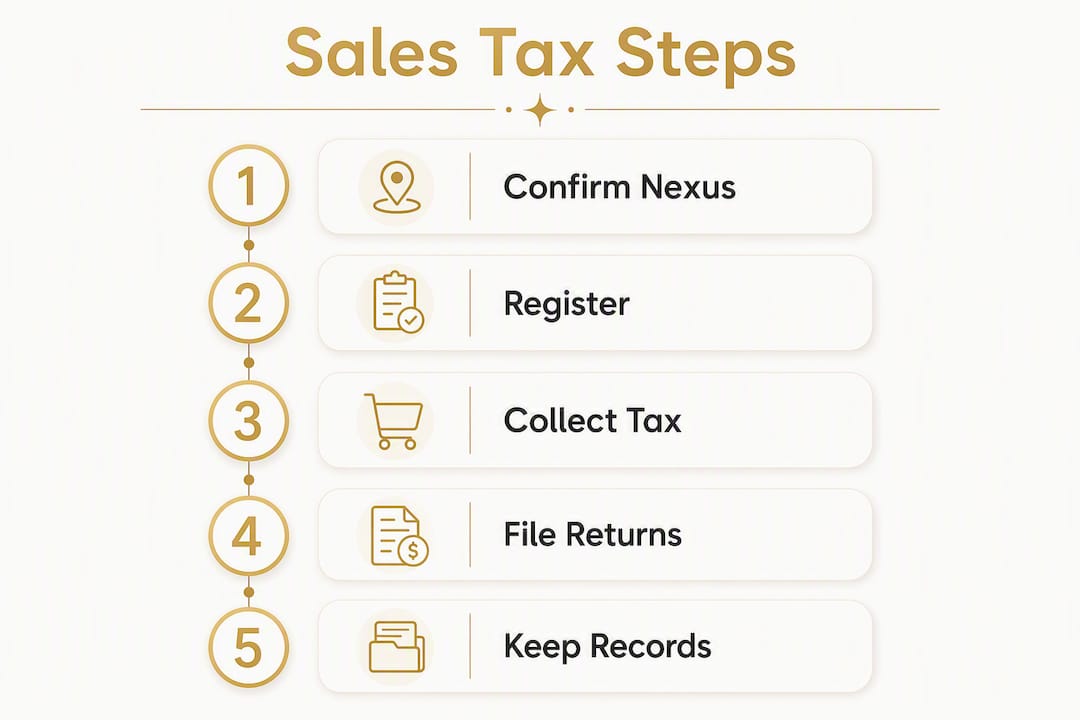
Handling sales tax as a new business comes down to five actions: confirm nexus, register where required, collect the correct rate, segregate the funds, and file on schedule every period.
| Point | Details |
|---|---|
| Nexus triggers registration | Physical presence or crossing $100,000 in sales or 200 transactions in most states (with higher thresholds in Texas, California, and New York) requires you to register and collect. |
| Register before your first taxable sale | Gather your EIN, NAICS code, and responsible party info, then complete your state’s DOR portal application. |
| Zero returns are mandatory | Most states require a return even when no tax was collected; missing one can trigger penalties or license revocation. |
| Segregate collected tax | Treat sales tax as a liability in a dedicated account — it is not business revenue and must be remitted in full. |
| Kelliworks handles the complexity | Kelliworks provides registration assistance, nexus monitoring, exemption certificate workflows, and ongoing filing support for new small businesses. |
Why sales tax deserves your attention from day one
Most new business owners put sales tax on the back burner. There’s always something more urgent: landing the next client, building the product, managing cash flow. Sales tax feels like a problem you can deal with later.
The trouble is that “later” often arrives as a multi-state exposure that’s been accumulating for two or three years. High-growth businesses, especially those selling online or via subscription, can cross economic nexus thresholds in five or ten states before anyone notices. By then, the back tax, interest, and penalties are a real financial event, not a paperwork inconvenience.
What I recommend to every new client at Kelliworks: set up a separate liability account for collected sales tax on day one, before you make your first taxable sale. It costs nothing and prevents the single most common cash flow mistake we see. Then book a short compliance review, even just an hour, to map your nexus exposure and confirm your taxability position. That one conversation typically saves far more than it costs.
Sales tax compliance isn’t glamorous, but it’s one of the few areas where getting it right early is genuinely easier than fixing it later. The startup tax planning guide on our site walks through how to build compliance into your financial foundation from the start.
Kelliworks takes sales tax compliance off your plate
Sales tax registration, nexus monitoring, and multi-state filing are time-consuming when you’re managing them alone. Kelliworks offers a full-service alternative: we handle registration with state Departments of Revenue on your behalf, map your nexus exposure across all states where you sell, build and maintain your taxability matrix, set up exemption certificate workflows, and manage your ongoing filing schedule so nothing slips through.

The practical result for our clients is predictable compliance costs, reduced audit risk, and hours each month returned to running the business. Whether you need a one-time registration and setup or an ongoing virtual accounting department that manages sales tax as part of a broader bookkeeping engagement, we build the service around what your business actually needs.
Ready to get compliant without the guesswork? Book a consultation with Kelliworks and we’ll start with a nexus review so you know exactly where you stand.
Useful resources for sales tax registration and compliance
State DOR portals are the authoritative source for registration requirements, current rates, and filing deadlines. Use these directly rather than relying on third-party summaries, which can lag behind rule changes.
Official state registration portals:
- New York: Register as a sales tax vendor
- Texas: Online Tax Registration Application
- Connecticut: Sales and Use Tax Information
- Virginia: Register a Business in Virginia
- New Jersey: Register for Taxes
- Georgia: Register a New Business
- Massachusetts: Tax Information for New Businesses
- North Carolina: Sales and Use Tax Registration
Multi-state and general resources:
- Streamlined Sales Tax Central Registration — register in multiple SST member states through one application.
- IRS Business Taxes — federal tax obligations that run alongside state sales tax requirements.
- Thomson Reuters: How to Pay Sales Tax for Small Business — clear overview of filing, remittance, and zero-return requirements.
State DOR sites are the final authority on rates, exemptions, and deadlines. When in doubt, contact your state’s DOR directly or consult a qualified tax professional. This article provides general information, not legal or tax advice; confirm current rules with your state’s DOR or a licensed tax advisor before making compliance decisions.



2 Responses