


Cost-effective bookkeeping is defined as maintaining accurate financial records at the lowest reasonable total cost while maximizing the value you receive from every dollar spent. The goal is not simply to find the cheapest option. It is to balance software, services, and processes so your books stay clean, your taxes stay compliant, and your time stays focused on running your business. For small business owners and freelancers, understanding what is cost-effective bookkeeping means looking beyond the monthly subscription price and accounting for every cost in the system.
What makes bookkeeping cost-effective for small businesses?
Cost-effective bookkeeping requires understanding the full picture of what you actually pay, not just the advertised price. Entry-level accounting software ranges from $0 to $38 per month, but comprehensive plans with bank automation and payroll integration typically cost $40 to $115 per month. That gap matters because most growing businesses need those features to avoid manual work.
The real trap is the total cost of ownership. Add-ons significantly increase the total cost beyond the subscription price on most platforms. Payment processing fees, payroll modules, advisory services, and third-party integrations can easily double your monthly expense. Successful business owners plan bookkeeping budgets that include software subscriptions plus payment processing, payroll add-ons, and year-end tax adjustments as unavoidable costs.

Labor is the other major cost driver most small business owners underestimate. Software does not eliminate bookkeeping work. It simplifies tasks, but someone still has to do them. The time you spend reconciling accounts, categorizing transactions, and preparing reports has a real dollar value. When you factor in your hourly rate, DIY bookkeeping is sometimes more expensive than hiring help.
Here is what drives total bookkeeping cost for most small businesses:
- Software subscription fees: Base plans from platforms like QuickBooks, Wave, or FreshBooks
- Add-on costs: Payroll, payment processing, advanced reporting, and multi-user access
- Implementation and training: Time spent setting up the system and learning to use it
- Labor hours: Your time or a hired bookkeeper’s time spent on ongoing tasks
- Error correction: Costs from catching and fixing mistakes, especially during tax season
- Integration fees: Connecting your accounting software to your point-of-sale, CRM, or payroll system
Pro Tip: Before choosing a plan, list every feature you actually need and check whether it is included in the base price or sold as an add-on. A $20 plan with $60 in required add-ons costs more than a $50 all-inclusive plan.
How do different bookkeeping solutions compare in cost-effectiveness?
The right solution depends on your business size, transaction volume, and how much time you can realistically spend on bookkeeping. The comparison below covers the most common options for small business owners and freelancers.
| Solution | Monthly Cost | Best For | Key Limitation |
|---|---|---|---|
| Wave | $0 (core features) | Freelancers, solo businesses | Limited payroll and support options |
| GnuCash | $0 (open source) | Budget-conscious freelancers | Desktop only, steeper learning curve |
| QuickBooks Simple Start | ~$30–$38 | Small businesses, growing teams | Add-ons increase total cost quickly |
| QuickBooks Plus | ~$85–$115 | Multi-user, inventory tracking | Higher cost, more features than some need |
| Outsourced bookkeeper | Varies widely | Businesses with 15+ hours of monthly work | Less control, requires clear communication |
| Part-time bookkeeper | Varies by market | Businesses with 5–15 hours of monthly work | Scheduling and consistency challenges |
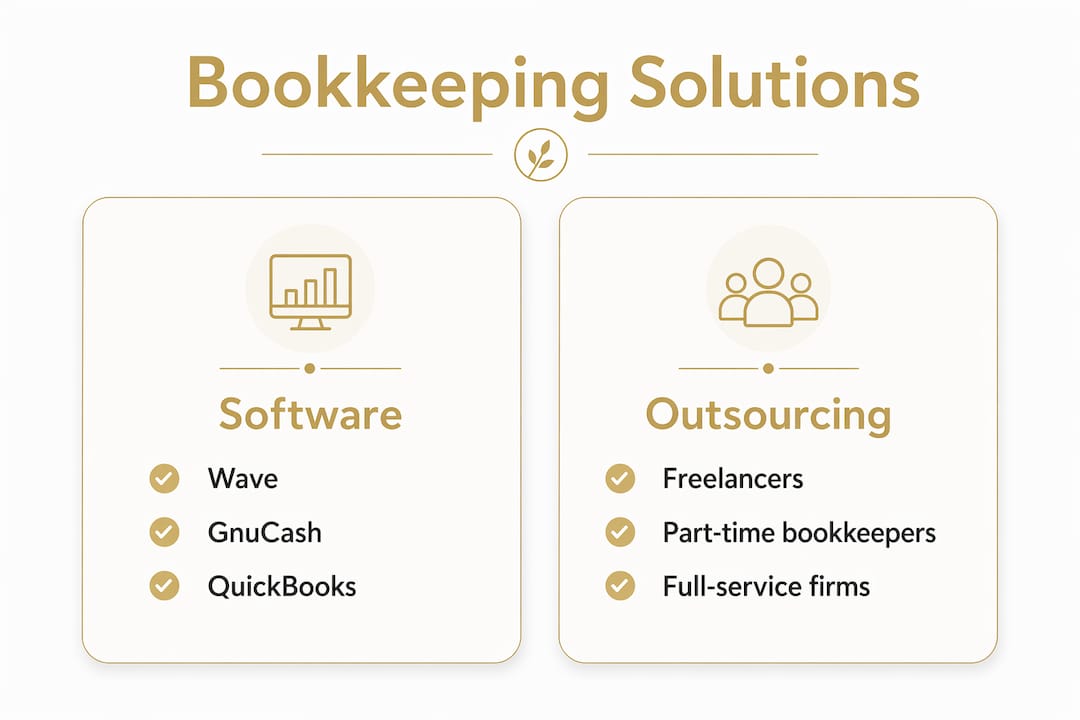
Open source solutions like GnuCash offer double-entry bookkeeping on desktop with no subscription fees, which fits budget-conscious freelancers well. Wave provides a free cloud-based alternative with invoicing and expense tracking built in. Neither replaces a full-featured paid platform for a business with payroll, inventory, or multiple users.
The outsourcing question comes down to time. DIY bookkeeping is generally suitable if your bookkeeping requires less than 5 hours monthly. Spending 5–15 hours monthly suggests part-time help is more cost-efficient. At 15 or more hours per month, hiring a dedicated bookkeeper typically costs less than the value of your lost time. That threshold is the clearest guide most small business owners have for making the DIY versus outsource decision.
Freelancers and solo operators have a different calculation than small teams. A freelancer with 20 clients and straightforward invoicing may manage fine with Wave. A small retail business with employees, inventory, and sales tax obligations almost always needs a paid platform or professional support.
Pro Tip: If you are evaluating outsourced bookkeeping, ask for a breakdown of what is included in the monthly fee. Some providers charge separately for bank reconciliation, financial statements, and tax-ready reports. Those are the three things you need most.
What budget-friendly bookkeeping techniques can reduce costs?
Reducing bookkeeping costs does not mean cutting corners. It means building habits and systems that prevent expensive problems before they start.
-
Automate bank feeds and transaction imports. Bank synchronization and payment integrations reduce manual double-entry work and reconciliation time. Most accounting platforms connect directly to your bank. Turn this on from day one and you eliminate one of the biggest sources of bookkeeping errors.
-
Schedule weekly bookkeeping sessions. Letting transactions pile up for months creates a backlog that takes hours to untangle. A 30-minute weekly session keeps records current and makes month-end reconciliation fast. Backlogs are one of the most common reasons small business owners end up paying a bookkeeper to clean up a mess that could have been avoided.
-
Use automation to cut labor costs. Cloud accounting automation can cut labor costs by up to 50% by eliminating manual tasks. Recurring invoices, automatic payment reminders, and rule-based transaction categorization all reduce the time someone has to spend on your books each month.
-
Match your plan to your actual needs. Do not pay for features you do not use. A freelancer with no employees does not need a payroll module. A service business with no physical products does not need inventory tracking. Review your plan annually and downgrade if your usage does not justify the cost.
-
Hire a part-time bookkeeper before you need one. Waiting until your books are a disaster costs more than bringing in help early. A part-time bookkeeper working a few hours per month is far less expensive than paying a CPA to reconstruct a year of records before tax season.
-
Use your accounting software’s built-in reporting. Many small business owners pay for financial consulting to get reports their software already generates. Profit and loss statements, cash flow summaries, and accounts receivable aging reports are standard features in QuickBooks, Wave, and most paid platforms. Learning to read these reports yourself saves money and gives you better visibility into your finances. You can also use resources like cash flow bookkeeping guides to build that skill.
Pro Tip: Set a calendar reminder every quarter to review your bookkeeping software plan, add-ons, and integrations. Costs creep up when you forget to cancel features you no longer use.
What common mistakes lead to unexpected bookkeeping costs?
Most bookkeeping budget overruns are predictable. They come from a short list of avoidable mistakes.
-
Ignoring promotional pricing expiration. Pricing promotions on bookkeeping software typically expire after 3–6 months, increasing monthly costs by 50% or more. Many small business owners sign up at a promotional rate and forget to budget for the full price. Set a reminder before the promotional period ends so the increase does not catch you off guard.
-
Choosing a plan without checking usage limits. Choosing the cheapest plan without checking invoice or user limits can require forced upgrades within weeks. Read the fine print on transaction limits, number of users, and billable client caps before committing.
-
Underestimating hidden fees. Hidden costs include payment processing fees, payroll add-ons, advisory services, and integration expenses on every bookkeeping platform. These are not optional for most businesses. Budget for them from the start.
-
Skipping regular reconciliation. Failing to reconcile your accounts monthly means errors compound over time. A single missed transaction in january can create a chain of discrepancies that takes hours to trace by december. Regular reconciliation is the single most cost-effective habit in bookkeeping.
-
Mixing personal and business finances. This is the most common mistake freelancers make. Untangling personal and business transactions after the fact is time-consuming and expensive. Open a dedicated business checking account before you record your first transaction.
Kelli’s take on building a bookkeeping system that actually saves money
The biggest misconception I see among small business owners is that cost-effective bookkeeping means finding the cheapest software. It does not. I have worked with clients who paid $15 per month for a bare-bones plan and spent three times that in lost hours and tax corrections every quarter. The real cost of cheap bookkeeping shows up at year-end, not on your monthly statement.
What actually works is matching your tools to your real workflow. If you have straightforward income and expenses, Wave or GnuCash can serve you well at no cost. If you have employees, inventory, or multiple revenue streams, a paid platform like QuickBooks is worth the investment because the alternative is paying someone to fix the gaps later. I always tell clients to think about scalable accounting services early, before growth forces a rushed and expensive transition.
The other thing I have learned is that automation is not a luxury. It is the most reliable cost-saving tool available to small businesses right now. Bank feeds, recurring invoices, and automated categorization rules do not get tired or make data-entry errors. They run consistently, and that consistency is what keeps your books clean between professional reviews.
My honest recommendation: do not wait until tax season to evaluate whether your bookkeeping system is working. Review it every quarter. Ask yourself whether the time you are spending is proportional to the value you are getting. If the answer is no, that is the signal to change something.
— Kelli
How Kelliworks can support your bookkeeping goals
Small business owners and freelancers who want accurate books without the overhead of a full accounting department have a practical option.
Kelliworks offers bookkeeping and accounting services built specifically for small businesses and freelancers. Services include transaction categorization, monthly reconciliation, financial reporting, and tax preparation, all coordinated through one virtual accounting team. There is no need to manage multiple vendors or piece together software and support separately. If you are unsure where your bookkeeping costs are going or whether your current setup is working, a free consultation is the fastest way to get a clear answer and a plan that fits your budget.
FAQ
What is cost-effective bookkeeping?
Cost-effective bookkeeping is the practice of maintaining accurate financial records at the lowest reasonable total cost, prioritizing overall value rather than simply the lowest subscription price. It accounts for software, labor, add-ons, and error-correction costs together.
How much should a small business spend on bookkeeping?
Most growing small businesses pay between $40 and $115 per month for software with essential features, plus additional costs for payroll and payment processing. Total bookkeeping costs often double the base subscription once all necessary add-ons are included.
When should I stop doing my own bookkeeping?
DIY bookkeeping makes sense when your monthly bookkeeping takes less than 5 hours. At 5–15 hours per month, part-time help is more cost-efficient. At 15 or more hours per month, hiring a bookkeeper typically costs less than the value of your lost time.
Is free bookkeeping software good enough for small businesses?
Free tools like Wave and GnuCash work well for freelancers and solo businesses with simple finances. Businesses with employees, inventory, or multiple users typically need a paid platform to avoid gaps that create costly errors.
What hidden costs should I watch for in bookkeeping software?
The most common hidden costs are payment processing fees, payroll add-ons, multi-user access charges, and integration fees. Promotional pricing that expires after 3–6 months is also a frequent source of unexpected budget increases.
Key takeaways
Cost-effective bookkeeping delivers maximum financial accuracy at the lowest total cost, and total cost always includes more than the monthly software subscription.
| Point | Details |
|---|---|
| Total cost exceeds subscription fees | Budget for add-ons, payroll, payment processing, and labor from the start. |
| Match your solution to your workload | DIY works under 5 hours monthly; outsource at 15 or more hours per month. |
| Automation cuts labor costs | Bank feeds and automated categorization reduce manual work and prevent errors. |
| Promotional pricing expires | Software discounts typically end after 3–6 months, raising costs by 50% or more. |
| Review your setup quarterly | Plans with unused features or missing limits cost more than a better-matched option. |