
Hire a bookkeeper the moment your books cost you more in missed hours, missed deductions, or missed deadlines than the bookkeeper would cost to pay. The IRS expects every business to keep clear, supportable financial records, and once your books fall behind, catch up, or cash flow surprises start piling up, that’s your signal. This pattern is common in small businesses and startups that waited too long.
TL;DR:
- You should hire a bookkeeper if bookkeeping takes over two hours weekly or your records are consistently behind, risking missed deductions or late filings.
- Small businesses often face increased time spent on data entry, incomplete records, or cash flow surprises, signaling the need for professional help.
- The ideal model varies: in-house for high transaction volume, virtual for flexibility, or freelance for low needs, with cost and oversight considerations guiding the choice.
- Cost generally depends on hourly rates, flat monthly fees, or tiered packages, with backlog cleanup often being more expensive than ongoing bookkeeping.
- Starting with a staged catch-up process, clear scope of work, and thorough vetting prevents costly mistakes and ensures smooth onboarding.
Table of Contents
- Signs it’s time to hire a bookkeeper
- What a bookkeeper does and the engagement types to choose from
- How to choose and hire the right bookkeeper
- In-house vs. virtual vs. freelance: a decision guide
- Cost expectations and simple budgeting rules
- Catch-up bookkeeping and onboarding checklist
- Lessons from the field: mistakes I see and how to avoid them
- How KelliWorks fits into your bookkeeping plan
- FAQ
- Sources
Signs it’s time to hire a bookkeeper
Most owners don’t wake up one day and decide to hire a bookkeeper. They notice small warning signs, ignore them for a few months, and then face a mess that takes far longer to untangle than it would have taken to prevent. Here’s how to know where you stand.
Start with time. If bookkeeping eats more than an hour or two of your week, you’re paying for it twice: once in the hours themselves, and again in the business decisions you’re not making while you’re buried in receipts. NerdWallet points to that one or two hour threshold as the practical line where outsourcing starts to make financial sense. Portland SCORE notes that small business owners already work long hours, so every hour spent on reconciliations is an hour not spent serving customers or closing sales.
Then there’s the state of your books themselves. Stale or incomplete records are a red flag because every financial decision you make, from pricing to hiring to inventory, rests on numbers you can’t fully trust, making financial application development an important consideration. Bill lists being behind on entries as one of the clearest signs it’s time to bring in help, alongside a few other patterns worth watching for:
- You’re spending hours each week on data entry, categorizing transactions, or chasing down receipts instead of running your business.
- Your books are weeks or months behind, so you can’t say with confidence what you earned last month.
- Tax season turns into a scramble, with missed deductions, late filings, or a frantic call to your accountant in March.
- Cash flow surprises you, with unpaid invoices piling up or bills slipping past their due dates.
- Revenue is climbing but profit isn’t, which usually points to operational leakage no one has caught yet.
- Multiple people share login credentials for your bank or accounting software, with no clear record of who changed what.
One or two hours a week spent on bookkeeping is the general benchmark where NerdWallet suggests outsourcing starts to pay for itself in reclaimed time.
Tax-time chaos deserves its own mention because it’s the sign most owners notice last, usually after it’s already cost them money. Missed deductions and late filings aren’t just inconvenient. The IRS holds businesses responsible for maintaining records that support every figure on a return, and scrambling to reconstruct a year of transactions in April rarely produces accurate results. Cash flow unpredictability follows a similar pattern: when you don’t know what’s actually in the bank because invoices aren’t tracked and vendor bills aren’t logged, you can’t plan payroll, can’t plan purchases, and can’t plan growth.
Security is the quieter risk. Shared passwords, no audit trail, and loose access controls aren’t just sloppy. They’re the kind of gap that turns into a real problem the day something goes missing or a former employee still has access to your accounts. And if your revenue is growing while your margins stay flat or shrink, that’s often a bookkeeping visibility problem rather than a sales problem. You can’t fix what you can’t see clearly.
What a bookkeeper does and the engagement types to choose from
A bookkeeper handles the ongoing mechanics of your financial records: entering transactions, reconciling bank and credit card statements, sending invoices, paying vendors, and setting up basic payroll tracking. That’s different from accounting, which interprets those records to guide decisions, and different again from CPA work, which handles tax strategy, audits, and complex filings. Our guide on bookkeeping versus accounting breaks down exactly where one role ends and the other begins, which matters when you’re deciding who to call for what.
Once you know you need help, the next question is what kind. Each model fits a different stage and budget:
- In-house bookkeeper: Best for businesses with high transaction volume or daily on-site needs, but it comes with salary, benefits, and management overhead.
- Virtual bookkeeping service: Flexible and lower overhead, well suited to businesses that want professional oversight without a full-time hire.
- Freelance bookkeeper: Works well for ad-hoc or low-volume needs, though availability and backup coverage can be inconsistent.
- Agency or firm: Offers a team behind the work, useful when you need redundancy or a broader skill set than one person can provide.
Whichever model you choose, ask what software they use and how they handle access. Most modern bookkeepers work in cloud platforms like QuickBooks, which makes collaboration easier but raises questions about who has login credentials and how that access is controlled. Our QuickBooks setup guide walks through what a clean setup looks like from day one, which saves time later if you ever switch providers.
How to choose and hire the right bookkeeper
Hiring the wrong bookkeeper is almost as costly as not hiring one at all, so treat this like any other important hire: define what you need before you start interviewing.
- Write a scope of work that spells out reporting cadence, deliverables, software stack, and your budget before you talk to anyone.
- Check certifications like those from the AIPB or NACPB, which signal a baseline of training and standards.
- Ask for references and sample reports so you can see how they present information, not just hear them describe their process.
- Run a short interview that covers their reconciliation process, how they handle access controls, and what happens if they’re unavailable for a stretch.
- Watch for red flags such as no references, vague answers about security, or reluctance to commit to a written scope of work.
- Lock in contract terms covering confidentiality, data access rules, deliverables, estimated catch-up hours, and how termination and handoff work if the relationship ends.
Certifications from the AIPB and NACPB are useful shortcuts, but they work best paired with real evidence of the work itself. Ask to see an anonymized sample report or a reconciliation summary before you commit.
Pro Tip: Ask every candidate the same five questions and compare answers side by side. It’s the fastest way to spot who actually has a process versus who’s winging it.
A written scope of work protects both sides. It should state exactly what’s included each month, what counts as extra work, and how fast you can expect responses. Skipping this step is how “quick monthly bookkeeping” quietly turns into unpaid scope creep for either party.
In-house vs. virtual vs. freelance: a decision guide
The right structure depends less on your industry and more on your transaction volume, your growth plans, and how much oversight you want day to day.
- Choose in-house if you process a high volume of transactions daily or need someone physically present for cash handling or inventory counts.
- Choose virtual if you want professional-level support without the overhead of a full-time salary, benefits, and office space.
- Choose freelance if your needs are occasional or low-volume and you don’t need daily coverage.
- Consider a hybrid model pairing a bookkeeper with an outside CPA or a fractional CFO once your business has multi-state payroll, multiple entities, or complex reporting needs.
Cost shapes differ accordingly. An in-house hire carries the highest fixed cost but the most direct oversight. A virtual service scales with your needs and usually proves more cost-efficient for businesses under a certain size. Freelancers can be the cheapest option up front but carry more risk around availability and continuity. If you operate across multiple states or in a regulated industry, factor that complexity into which model can actually keep up. Our breakdown of controller versus bookkeeper roles is a useful next step once your business outgrows basic bookkeeping and needs a layer of financial oversight above it.
Cost expectations and simple budgeting rules
Bookkeeping pricing generally falls into a few models: hourly rates, flat monthly retainers, or tiered packages with add-ons for payroll or tax work. Business.com outlines typical hourly and retainer ranges, and notes that pricing climbs with complexity, not just hours worked.
- Hourly billing suits businesses with light, irregular bookkeeping needs.
- Monthly retainers work well once your transaction volume is steady and predictable.
- Tiered packages bundle bookkeeping with payroll or tax prep at a fixed monthly cost.
- Catch-up work almost always costs more per hour than ongoing maintenance, because Business.com notes that backlog complexity and reconciliation work take longer than keeping current books.
To figure out if the expense is worth it, add up the hours you currently spend on bookkeeping, multiply by what your time is worth, then add the cost of any penalties or missed deductions from past tax seasons. If that number is close to or higher than what a bookkeeper would charge, the decision is already made for you. When negotiating, ask for a written SOW that separates catch-up hours from ongoing monthly work, so backlog cleanup doesn’t quietly inflate your regular retainer.
Catch-up bookkeeping and onboarding checklist
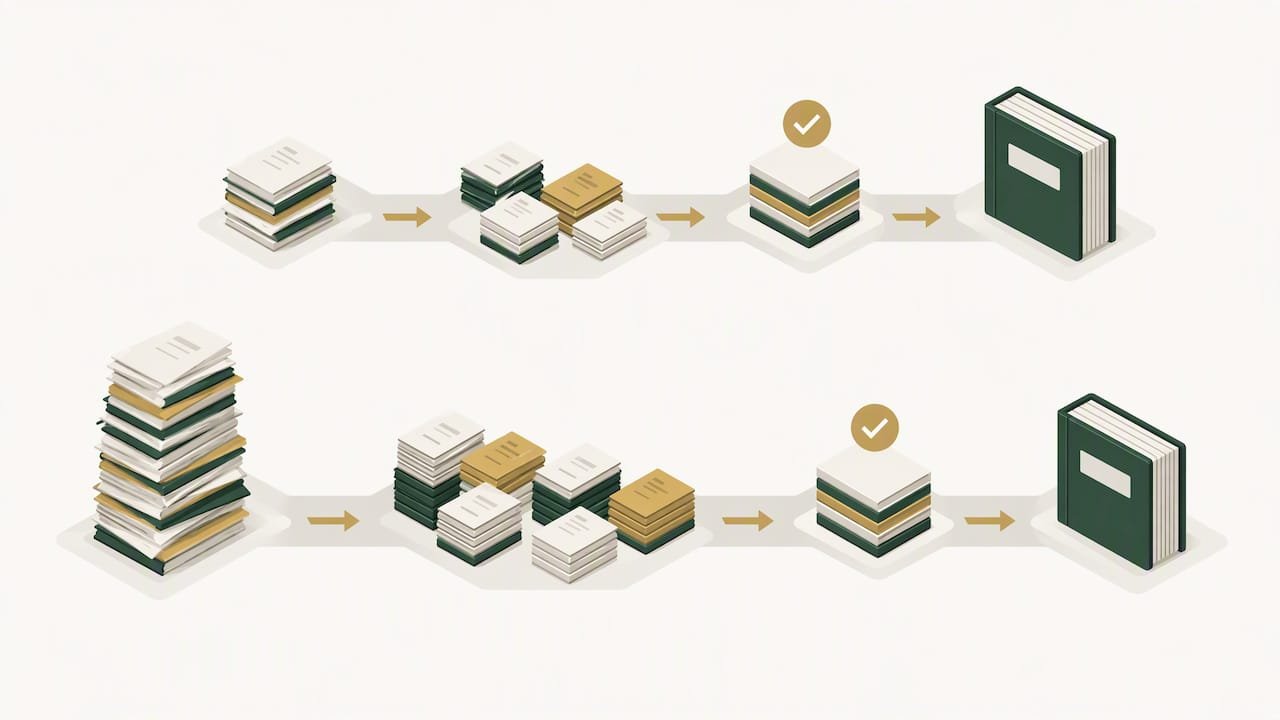
Switching to professional bookkeeping, especially after months of DIY records, works best as a staged process rather than an overnight fix.
- Reconcile bank and merchant accounts first, since this establishes the foundation every other report depends on.
- Clear outstanding invoices and vendor statements so your receivables and payables reflect reality.
- Gather access and documents in advance, including bank credentials, your chart of accounts, and prior-year tax returns.
- Estimate catch-up hours with your bookkeeper before work begins so there are no surprises on the invoice.
- Set a recurring close schedule once catch-up is done, typically a monthly cadence, to keep books current going forward.
If your books are several months behind, ask your bookkeeper to deliver reconciled reports for the most recent months first. That way you can start making decisions with current data while older backlog is still being processed. Our catch-up bookkeeping guide covers this staging approach in more detail.
Pro Tip: Don’t wait until tax season to start catch-up work. The earlier you begin, the fewer months of backlog you’re paying premium rates to untangle.
Lessons from the field: mistakes I see and how to avoid them
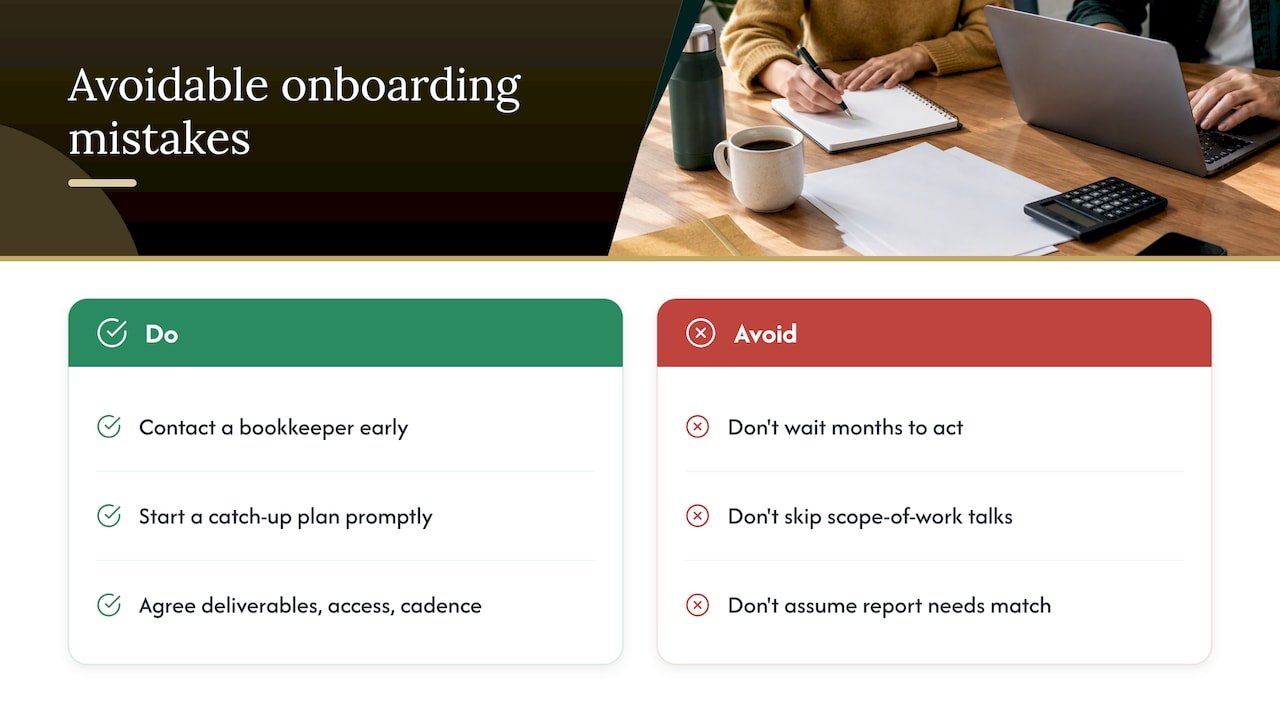
The most common mistake I see isn’t bad bookkeeping. It’s waiting. Owners often know their books are behind for months before they call anyone, and by then the catch-up work costs more and takes longer than it would have a few months earlier.
The second mistake is skipping the scope-of-work conversation. Vague expectations on both sides lead to frustration, whether that’s an owner expecting daily availability from a part-time bookkeeper or a bookkeeper assuming monthly reports are enough when the owner needs weekly cash flow updates. Setting clear deliverables up front, including who has access to what, solves most onboarding friction before it starts.
— Kelli
How KelliWorks fits into your bookkeeping plan
A full-service virtual accounting department provides bookkeeping, tax preparation, and financial consulting without requiring you to build an internal finance team from scratch. Instead of hiring, training, and managing an in-house hire, you get an outside partner who already knows how to set up clean records, secure access, and consistent reporting.

Onboarding with KelliWorks typically starts with a catch-up assessment, so you know exactly where your books stand before anything else happens. From there, you get a defined reporting cadence and access controls built around your software stack rather than shared passwords and guesswork.
- Catch-up plan: a clear estimate of backlog hours before any work begins.
- Regular reporting: monthly financials you can actually use to make decisions.
- Secure access: defined permissions instead of shared logins across your team.
If your books are behind, your tax season feels chaotic, or you’re simply done spending your evenings on reconciliations, our accounting and bookkeeping services page outlines what’s included, or you can schedule a consultation directly to talk through your specific situation.
FAQ
How do I know if my business is ready to hire a bookkeeper?
You’re ready when bookkeeping takes more than an hour or two of your week, your records are behind, or tax season regularly turns into a scramble. NerdWallet points to that one to two hour weekly threshold as a practical signal that outsourcing will save more than it costs.
What is the difference between a bookkeeper and an accountant?
A bookkeeper records and organizes your day-to-day transactions, while an accountant interprets those records to guide tax strategy and financial decisions. Our bookkeeping versus accounting guide explains where each role starts and stops in more detail.
How much does it cost to hire a bookkeeper?
Costs vary by billing model, with hourly rates, monthly retainers, and tiered packages all common, and Business.com notes that catch-up work typically costs more per hour than ongoing maintenance due to backlog complexity. KelliWorks does not publish flat rates online, so pricing is available by request through a consultation.
What questions should I ask before hiring a bookkeeper?
Ask about their reconciliation process, how they handle data access and security, what software they use, and whether they can provide references or sample reports. Vague or evasive answers on security and access controls are a common red flag worth taking seriously.
What records does the IRS require me to keep?
The IRS requires businesses to keep records that support income, deductions, and credits claimed on a tax return, including receipts, bank statements, and invoices. A bookkeeper’s reconciled monthly reports are one of the most reliable ways to stay ready for that requirement year-round.