


Financial records are the operational backbone of a freelancer’s business. They prove income, power tax and cash-flow decisions, and make borrowing and growth possible. The role of financial records for freelancers goes far beyond satisfying the IRS — they are the management instruments that separate a sustainable business from a stressful gig.
Your three immediate actions:
- Open a dedicated business checking account and route all client payments through it.
- Start a weekly bookkeeping session; 30–60 minutes each week is usually sufficient to keep your books current and accurate.
- Set aside 25–30% of every client payment into a separate tax savings account the moment it lands.
TL;DR — what this guide covers:
- Which records to keep and for how long
- Why records matter beyond tax season
- A realistic weekly, monthly, and quarterly routine
- The tools freelancers actually use (QuickBooks, Xero, FreshBooks, TurboTax)
- A ready-to-use checklist and file-naming templates
- When to bring in a virtual accounting partner
Table of Contents
- What financial records should freelancers keep?
- Why accurate financial records matter beyond taxes
- How often should you record and reconcile your finances?
- How should you organize and store your financial records?
- Which accounting tools do freelancers actually use?
- How do you prepare your records for tax filing?
- Common bookkeeping mistakes freelancers make
- A ready-to-use checklist and file-naming templates
- When does a virtual accounting partner make sense for freelancers?
- Key Takeaways
- Why records are what turn freelancing into a real business
- Kelliworks provides bookkeeping and tax services built for freelancers
- Useful sources and further reading
What financial records should freelancers keep?
Good records let you identify income sources, track deductible expenses, prepare financial statements, and support items reported on your tax returns — that is the IRS’s own summary of why recordkeeping matters. In practice, that means keeping several distinct document categories, each serving a different purpose.
| Document Category | What to Capture | Why It Matters | Minimum Retention |
|---|---|---|---|
| Income evidence | Invoices, payment-platform reports (PayPal, Stripe, Venmo Business), bank deposit records | Primary proof of revenue for taxes, audits, and loan underwriting | 3 years |
| Expense receipts | Vendor receipts, software subscription confirmations, supply purchases | Supports every deduction you claim on Schedule C | 3 years from filing date |
| Bank and credit card statements | Monthly statements for all business accounts | Reconciliation baseline; required for audit defense | 3 years |
| Contracts and scopes of work | Signed client agreements, change orders, subcontractor agreements | Proves business purpose of payments; supports deductions | Life of the contract + 3 years |
| Tax forms | 1099-NEC, 1099-K (if applicable), prior-year returns | Required for accurate income reporting; IRS cross-references these | — |
| Subcontractor 1099s | 1099-NEC forms you issue to contractors paid | Required filing; deductible as a business expense | — |
| Mileage logs | Date, destination, business purpose, miles driven | Required to claim the standard mileage deduction | 3 years |
| Asset receipts | Equipment, computers, furniture, software licenses | Establishes cost basis for depreciation | Life of asset + 3 years |
| Insurance and policy records | Business liability, E&O, health insurance premiums | Supports deductions; required for coverage disputes | Duration of policy + 3 years |
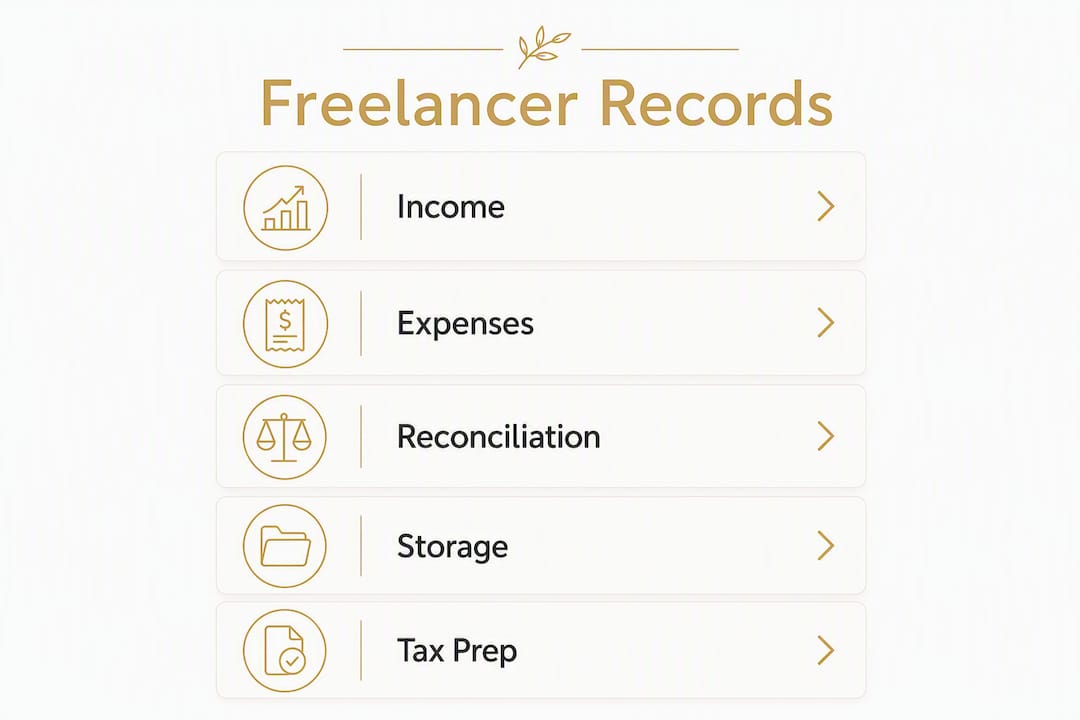
One point worth emphasizing: 1099 forms are payer reports and can be incomplete. Your invoices, bank deposit records, and payment-platform reports are the definitive evidence of what you actually earned. Relying on 1099s alone leaves gaps that auditors and lenders will notice.
Capture these first if you are starting from scratch: income records (invoices and bank statements), then expense receipts, then contracts. Everything else builds on that foundation.
Why accurate financial records matter beyond taxes
Most freelancers think of recordkeeping as a tax chore. That framing undersells it considerably. Weekly recording reveals which clients are profitable, which invoices are overdue, and where cash-flow problems are forming — long before they become crises.
Consistent bookkeeping yields profit-and-loss statements and balance sheets that banks and creditors rely on when evaluating loan applications or lease agreements. If you ever want a business line of credit, a car lease in your business name, or an SBA loan, lenders will ask for these documents. A freelancer who cannot produce them is effectively invisible to the credit market.
The management benefits are equally concrete:
- Audit defense: — Every deduction you claim needs documentation. Without receipts and contracts, the IRS can disallow legitimate expenses and assess penalties.
The compliance stakes are real. Self-employment tax covers both the employer and employee portions of Social Security and Medicare, which means freelancers carry a tax burden that salaried employees split with their employer. Accurate records are the only way to capture every deduction that offsets that liability.
How often should you record and reconcile your finances?
The honest answer: more often than most freelancers do it, but less often than they fear. A predictable cadence makes bookkeeping manageable. Automation — bank feeds, receipt capture apps — converts what used to be a monthly panic into a predictable weekly routine that scales with client volume.

| Frequency | Tasks | Estimated Time |
|---|---|---|
| Daily (optional) | Photograph and upload receipts; log mileage immediately after business travel | — |
| Weekly | Import and categorize bank transactions; reconcile uncategorized items; review outstanding invoices; send payment reminders | 30–60 minutes |
| Monthly | Reconcile all bank and credit card statements; run a P&L and cash-flow report; chase overdue invoices; confirm tax reserve balance | 1–2 hours |
| Quarterly | Pay estimated taxes (due mid-April, mid-June, mid-September, mid-January); review budget vs. actuals; check retirement contribution pace; reconcile tax savings account | 2–3 hours |
| Year-end | Collect all 1099-NEC forms received; finalize depreciation schedules; prepare Schedule C materials; archive the year’s records | — |
Most freelancers benefit from a weekly bookkeeping session that balances accuracy with time efficiency. Dedicating 30–60 minutes each week typically suffices to keep your finances organized and up to date. The weekly rhythm prevents the backlog that makes monthly catch-up sessions so painful.
Pro Tip: Set a recurring calendar block — same day, same time each week — and treat it as a client meeting. Thirty minutes on a Friday afternoon is enough to keep most freelance books current.
Quarterly estimated tax payments are the most commonly missed obligation. The IRS provides guidance on estimated tax deadlines and calculation methods for self-employed individuals. Missing a payment triggers underpayment penalties, so the quarterly calendar block is non-negotiable.
How should you organize and store your financial records?
A consistent folder structure and naming convention saves hours at tax time and makes audit response straightforward. The goal is to find any document in under two minutes.

Recommended folder structure
Business Finances/
  2026/
    ClientA/
      Invoices/
      Contracts/
      Expenses/
    ClientB/
      Invoices/
      Contracts/
      Expenses/
    Tax Documents/
    Bank Statements/
    Receipts/
Keep a top-level folder per year, then organize by client for income-related documents and by category for shared expenses (software subscriptions, office supplies, insurance).
Digital storage and backup
- Convert paper receipts to PDF immediately. Most receipt-capture apps (Dext, Hubdoc, or the built-in capture in QuickBooks and Xero) do this automatically.
- Use cloud storage with version history — Google Drive, Dropbox, or Microsoft OneDrive all maintain file versions, which matters if a document is accidentally overwritten.
- Apply the 3-2-1 backup rule: keep your primary copy in your accounting software, a local backup on an external drive, and an offsite copy in cloud storage. For freelancers, “offsite” simply means a cloud service that is not on the same device as your local backup.
- Encrypt sensitive files before storing them in shared cloud folders, especially contracts with client payment terms.
Pro Tip: For high-value asset purchases — computers, cameras, specialized equipment — keep the original paper receipt alongside the scanned copy. If the IRS questions the cost basis for depreciation, the original is the strongest evidence.
The IRS accepts electronic records as long as they provide a complete and accurate record that is accessible when requested. You do not need to maintain paper files for most documents, but your digital system must be organized enough to produce specific records on demand.
Which accounting tools do freelancers actually use?
The right tool depends on your client volume, technical comfort, and whether you need invoicing, expense capture, bank sync, or all three. Here is how the most commonly used platforms serve freelancers:
- QuickBooks Online (Intuit): The most widely adopted small-business accounting platform in the US. It handles invoicing, expense categorization, bank sync, mileage tracking, and generates the reports (P&L, balance sheet) that lenders and accountants expect. The Self-Employed plan is built specifically for freelancers and integrates directly with TurboTax for tax export. Pricing starts at a monthly rate for the Simple Start plan; check Intuit’s site for current pricing.
- Xero: A strong alternative to QuickBooks, particularly for freelancers who work with international clients or need multi-currency support. Xero’s bank reconciliation workflow is clean and its mobile app handles receipt capture well. It integrates with hundreds of payment processors and time-tracking tools.
- FreshBooks: Designed with service-based freelancers in mind. Its invoicing and client-communication features are more polished than QuickBooks for project-based billing. FreshBooks tracks time, generates proposals, and sends automated payment reminders. It is a natural fit for freelancers who bill by the hour or project and want invoicing to feel professional without accounting complexity.
- TurboTax (Intuit): The dominant consumer tax-filing platform in the US. TurboTax Self-Employed walks freelancers through Schedule C, self-employment tax (Schedule SE), and home-office deductions (Form 8829). It imports directly from QuickBooks Self-Employed, which reduces manual data entry at filing time.
For budgeting and cash-flow visibility alongside your accounting software, a dedicated tool like Prism Wallet for freelancers helps you track income timing and manage tax reserves without logging into your bookkeeping platform every day.
Checklist for choosing a tool:
- Do you need invoicing, or do clients pay through a platform that handles it?
- How many transactions do you process monthly? (Under 50 = any tool works; over 200 = prioritize automation.)
- Does it sync with your bank and credit card automatically?
- Can it export data in a format your accountant or tax software accepts?
- Does it have a mobile receipt-capture feature you will actually use?
How do you prepare your records for tax filing?
Tax preparation for freelancers is not a single event in April. It is the result of the records you kept all year. The documents you need at filing time fall into three groups: income forms, expense documentation, and supporting schedules.
| Form or Schedule | Purpose | What You Need to Prepare It |
|---|---|---|
| 1099-NEC | Reports non-employee compensation from each client | Your invoices and bank records to verify amounts |
| 1099-K | Reports payments processed through payment networks (PayPal, Stripe) above IRS thresholds | Payment-platform annual summary |
| Schedule C | Reports business profit or loss; where deductions are claimed | Categorized income and expense records |
| Schedule SE | Calculates self-employment tax (Social Security + Medicare) | Net profit from Schedule C |
| Form 8829 | Home office deduction | Square footage of office vs. total home; utility and rent/mortgage records |
| depreciation schedules | Depreciation for business assets | Asset receipts, purchase dates, business-use percentage |
Common deductions to document
Home office, business equipment, software subscriptions, professional development, travel and lodging for business purposes, contractor payments, health insurance premiums (if self-employed), and mileage all qualify as deductions — but each requires specific documentation. Mileage claims require a log with date, destination, and business purpose for every trip. Home-office claims require consistent, exclusive use of the space.
The IRS Publication 583 covers starting a business and keeping records, including what documentation supports specific deductions. It is worth bookmarking.
When to bring in a tax professional
Handle your own taxes when your income is straightforward, your deductions are standard, and you have no subcontractors. Bring in a professional when:
- You have income from multiple states.
- You paid subcontractors and need to issue 1099-NEC forms.
- You made a large asset purchase and need to decide between expensing and depreciation.
- You received an IRS notice or audit letter.
- Your deductions are complex (home office plus vehicle plus travel plus retirement contributions).
A tax preparation professional who works with freelancers will often find deductions that offset their fee entirely.
Common bookkeeping mistakes freelancers make
The most common financial error freelancers make is mixing personal and business funds. A dedicated business checking account is the foundational infrastructure that prevents this — and without it, every other bookkeeping effort becomes harder and less reliable.
Other frequent mistakes:
- Missing mileage logs — The IRS requires a contemporaneous log. Reconstructing mileage from memory months later is not acceptable documentation.
Audit red flags to avoid
- Deductions that are disproportionately large relative to reported income
- Round-number expense entries ($500, $1,000, $2,000) with no supporting receipts
- Home-office deductions claimed without documentation of exclusive and regular use
- Inconsistent income reporting between your return and the 1099s the IRS receives from your clients
Monthly self-audit checklist:
- Every transaction in your bookkeeping software has a category and a receipt or reference.
- No personal expenses appear in business accounts.
- All outstanding invoices are noted and followed up.
- Tax reserve account balance matches 25–30% of income received that month, helping ensure you are prepared for federal and state tax obligations.
- Mileage log is current through the last business trip.
Pro Tip: Tie every expense transaction to an invoice, contract, or business-purpose note at the time you enter it. Thirty seconds of documentation now prevents hours of reconstruction later.
A ready-to-use checklist and file-naming templates
Consistent file naming makes records searchable and audit-ready without any special software. The template below works whether you store files in Google Drive, Dropbox, or a local folder.
File-naming template
YYYY-MM-DD_ClientOrVendorName_DocumentType_SequenceNumber.pdf
Examples:
2026-03-15_AcmeCorp_Invoice_001.pdf2026-03-20_AdobeCreativeCloud_Receipt_001.pdf2026-01-31_BankOfAmerica_Statement_Jan2026.pdf2026-02-10_JaneDoeContractor_Contract_001.pdf
Minimal bookkeeping spreadsheet columns
If you are not yet using accounting software, a spreadsheet with these columns captures what you need:
| Column | What to Record |
|---|---|
| Date | Transaction date (not the date you entered it) |
| Client or Vendor | Name of the payer or payee |
| Description | Brief note on the business purpose |
| Amount | Dollar amount (positive for income, negative for expenses) |
| Category | IRS-aligned category (e.g., Advertising, Office Supplies, Contract Labor) |
| Payment Method | Check, ACH, credit card, PayPal, etc. |
| Receipt Reference | File name of the supporting document |
| Invoice Number | For income transactions; links payment to invoice |
Minimal invoice fields
Every invoice you send should include: your name and business address, client name and address, invoice number, invoice date, due date, itemized services with rates, total amount due, and payment instructions. These fields are what accountants, auditors, and lenders look for when verifying income.
When does a virtual accounting partner make sense for freelancers?
There is a point in every freelancer’s growth where bookkeeping consumes billable hours, errors start costing money, or the complexity of the work outpaces what a spreadsheet can handle. That is when a virtual accounting department delivers clear return on investment.
Services a virtual accounting partner typically provides:
- Daily or weekly bank feed imports and transaction categorization
- Invoice management and collections follow-up
- Monthly reconciliation and financial reporting (P&L, cash-flow statement)
- Quarterly estimated tax setup and payment reminders
- Year-end tax preparation and filing
- QuickBooks or Xero setup and ongoing support
- Subcontractor 1099-NEC preparation and filing
Signals that it is time to hire:
- You are spending more than two hours per week on bookkeeping and it is cutting into client work.
- You missed a quarterly estimated tax payment or underpaid.
- You have subcontractors and are unsure about 1099 obligations.
- You want to apply for a loan or line of credit and your records are not lender-ready.
- You received an IRS notice and do not know where to start.
The ROI calculation is straightforward: if your billable rate is $75–$150 per hour and bookkeeping consumes four hours per month, outsourcing at a flat monthly rate often costs less than the revenue you recover by redirecting that time to client work.
Before onboarding, prepare:
- Login access to your bank accounts and accounting software
- Prior-year tax returns (at least two years)
- A list of regular subscriptions and recurring expenses
- Any outstanding IRS correspondence
Understanding the difference between bookkeeping and accounting helps you know exactly which services you need before your first conversation with a provider.
Key Takeaways
Freelancers who keep accurate, organized financial records spend less time at tax time, claim more deductions, and build the financial credibility that supports business growth.
| Point | Details |
|---|---|
| Separate accounts first | Open a dedicated business checking account before anything else; it is the foundation of clean records. |
| Weekly habit beats monthly catch-up | Dedicating a weekly session — typically 30–60 minutes — keeps books current and prevents the backlog that makes quarterly taxes stressful. |
| Reserve a portion of income for taxes | Set aside 25–30% of every client payment into a dedicated tax savings account to cover federal and state obligations. |
| Keep most records at least 3 years | The IRS standard is 3 years from the filing date; extend to — for returns where income may be underreported. |
| Kelliworks handles the complexity | When bookkeeping consumes billable time or errors create risk, Kelliworks provides virtual bookkeeping, tax prep, and financial reporting for freelancers. |
Why records are what turn freelancing into a real business
Most freelancers start keeping records because they have to — a tax deadline arrives, a client asks for an invoice, or an accountant requests documentation. That reactive posture keeps bookkeeping feeling like a burden rather than an asset.
The shift happens when you start reading your own records. A monthly P&L shows you which clients generate real profit and which ones keep you busy without building your business. A cash-flow report tells you whether you can afford to take a slow month or invest in new equipment. A clean set of books tells a lender that you run a business, not just a side project.
Freelancers who treat financial records as management tools — not just tax artifacts — make better pricing decisions, spot problems earlier, and grow with less financial anxiety. The systems described in this guide are not complicated. They require consistency more than expertise. And when the complexity does grow — multiple clients, subcontractors, multi-state income, asset purchases — that is exactly when a trusted accounting partner earns its place.
The routines outlined here are the same ones we help Kelliworks clients build from the ground up. Start with the three immediate actions at the top of this guide. Build from there.
Kelliworks provides bookkeeping and tax services built for freelancers
Freelancers who manage their own books often reach a point where the time cost exceeds the savings. Kelliworks offers a practical alternative: a full-service virtual accounting department that handles the bookkeeping, tax preparation, and financial reporting that currently sits on your plate.
Our services for freelancers include monthly bookkeeping and reconciliation, QuickBooks setup and ongoing support, quarterly estimated tax monitoring, year-end tax preparation and filing, and customized financial reporting. Flat-rate packages mean no billing surprises, and onboarding is straightforward — we provide a checklist so you know exactly what to prepare before your first session.
If you are ready to stop spending billable hours on bookkeeping, schedule a discovery call with Kelliworks to see which package fits your current client volume and complexity.
Useful sources and further reading
The sources below are the primary references used throughout this guide. Each one offers deeper detail on a specific aspect of freelance financial management.
- Why should I keep records? — Internal Revenue Service: The IRS’s own explanation of recordkeeping obligations for self-employed individuals, including what records to keep and why they matter for tax returns and audits.
- How should I record my business transactions? — Internal Revenue Service: IRS guidance on acceptable recordkeeping systems, including electronic records, journals, and ledgers.
- IRS Publication 583 — Starting a Business and Keeping Records: The comprehensive IRS publication covering what records to keep, how long to keep them, and what documentation supports specific deductions.
- Estimated Taxes — Internal Revenue Service: Official IRS guidance on quarterly estimated tax payment deadlines, calculation methods, and underpayment penalties for self-employed individuals.
- Self-Employment Tax — Internal Revenue Service: Explains how self-employment tax is calculated and why freelancers carry both the employer and employee portions of Social Security and Medicare.
- Bookkeeping for freelancers — Xero US: A practical guide covering dedicated business accounts, weekly bookkeeping habits, and the management value of consistent records.
- Smart budgeting for freelancers — Prudential: Covers tax-reserve percentages, emergency fund guidance, and expense categorization best practices for self-employed individuals.
- Freelancer income documentation checklist — MyStubs: Explains why 1099 forms alone are insufficient income proof and what documentation lenders and auditors actually require.
- Kelliworks freelance bookkeeping basics: An internal resource expanding on bookkeeping workflows, automation, and audit-readiness for freelancers.
- Kelliworks bookkeeping best practices: Practical checklists and reconciliation guidance for small business owners and freelancers.



3 Responses